
Stunning! This is on my short list. I see you went with 9v with no filtering. How does it sound?
- Welcome to madbeanpedals::forum.
This section allows you to view all posts made by this member. Note that you can only see posts made in areas you currently have access to.
#1082
Tech Help - Projects Page / Re: Problems You'd Never Dream Of
May 19, 2013, 06:09:33 PM
Yeah, I now won't even try to box a pedal until at least 24 hours after the 3rd coat of clear has been applied.
#1083
Tech Help - Projects Page / Re: Problems You'd Never Dream Of
May 19, 2013, 08:59:36 AM
I was using a pre-painted blem enclosure for my MusicPCB tap-tempo tremolo. I drilled the top for 6 knobs & 2 LEDs & 2 stomp switches. My first mistake happened when I went to drill the first LED hole – I realized that I marked my template wrong. So on the fly I recovered and moved the hole, only to realize that my template was actually correct and I drilled the hole in the wrong place. I stopped and spent some time figuring out how to lay out the internals to make do with the new LED placement.
My decal design used lines radiating out from the center of the knobs. After the decal and clear coat were on I decided that one of the holes was just slightly off center, so I figured it would be easy to widen the hole – the washer and knob would disguise the oval shape. To protect the finish, I put down some masking tape near the hole, which lifted the clear coat and about 25% of the decal when I removed it.
I sanded to bare metal and re-finished it from scratch (actually less than scratch, since I had started with a pre-painted enclosure). Several weeks later I finally boxed it. The end result is great, but I had a miserable time getting there.
My decal design used lines radiating out from the center of the knobs. After the decal and clear coat were on I decided that one of the holes was just slightly off center, so I figured it would be easy to widen the hole – the washer and knob would disguise the oval shape. To protect the finish, I put down some masking tape near the hole, which lifted the clear coat and about 25% of the decal when I removed it.
I sanded to bare metal and re-finished it from scratch (actually less than scratch, since I had started with a pre-painted enclosure). Several weeks later I finally boxed it. The end result is great, but I had a miserable time getting there.
#1084
Open Discussion / Re: Pedal Geeks United is up and running!
May 15, 2013, 06:00:16 AM
I can't create an account - I think the problem is the image validation. I have tried several times and always get "Sorry, the selected image is incorrect".
#1085
General Questions / Re: Planning my Harbinger One build
May 07, 2013, 03:22:10 PM
I don't have much any experience designing circuits, so I spent some time googling Zener diodes. I understand the basic concept, and threw a 1k resistor + a 9.1v Zener on a breadboard to see how it works. I was able to keep the voltage down to 9.5v with an 18v source, but I'm not sure about the current. From the build doc it appears that you need at least 100mA for the Harbinger One. Since the Zener circuit needs a current limiting resistor, is this even possible? If so, what resistor value would work?
Thanks,
Bob
Thanks,
Bob
#1086
Build Reports / Re: ZPSDX
May 07, 2013, 03:13:12 PM
Great looking build, inside and out. I just got the board yesterday, it will be a while before I get to it. How does it sound?
#1087
Build Reports / Re: Finished my 1st 2 Madbean builds
May 07, 2013, 07:17:57 AM
Thanks for the compliments, I'm pretty happy with both.
For the Honey Dripper, I had to flatten the terminals on the 9v jack to clear the board. There is actually a tiny amount of wiggle room in that enclosure. I originally planned to place the stomp switch a little tighter against the bottom edge to make room for the jacks, but then I thought I might have to twist it 90 degrees to give additional jack clearance.
If anyone is interested, I'd be happy to share my Inkscape layout, it has crosshairs for the hole locations.
Bob
For the Honey Dripper, I had to flatten the terminals on the 9v jack to clear the board. There is actually a tiny amount of wiggle room in that enclosure. I originally planned to place the stomp switch a little tighter against the bottom edge to make room for the jacks, but then I thought I might have to twist it 90 degrees to give additional jack clearance.
If anyone is interested, I'd be happy to share my Inkscape layout, it has crosshairs for the hole locations.
Bob
#1088
General Questions / Re: Planning my Harbinger One build
May 07, 2013, 07:10:04 AM
I like the idea of power protection, that makes a lot of sense.
I didn't see myself toggling the power off & on very much. Depending on how I use it I could see picking the source voltage and leaving it on for the night, or if I only wind up using it for 1 or 2 songs just power it on when I need it.
I haven't purchased the components yet, so I haven't seen the bulb. I was also considering whether I should socket it to make it easy to replace if needed.
I didn't see myself toggling the power off & on very much. Depending on how I use it I could see picking the source voltage and leaving it on for the night, or if I only wind up using it for 1 or 2 songs just power it on when I need it.
I haven't purchased the components yet, so I haven't seen the bulb. I was also considering whether I should socket it to make it easy to replace if needed.
#1089
General Questions / Planning my Harbinger One build
May 06, 2013, 02:08:02 PM
I have been reading about the power options, and have a question.
My board power supply has an 18v output which I don't use, so I can power it with 18v on my board. But when I go over my friend's house to jam I don't always bring my board - sometimes I will throw a couple pedals & 9v power supplies in a backpack.
Has anyone considered setting it up to handle both 9v & 18v? Maybe use a center-off toggle switch to kill power altogether and save the wear & tear on the bulb?
Thanks,
Bob
My board power supply has an 18v output which I don't use, so I can power it with 18v on my board. But when I go over my friend's house to jam I don't always bring my board - sometimes I will throw a couple pedals & 9v power supplies in a backpack.
Has anyone considered setting it up to handle both 9v & 18v? Maybe use a center-off toggle switch to kill power altogether and save the wear & tear on the bulb?
Thanks,
Bob
#1090
Build Reports / Finished my 1st 2 Madbean builds
May 06, 2013, 01:57:47 PM
I finished a Karate Shop / Harmonic Energizer:
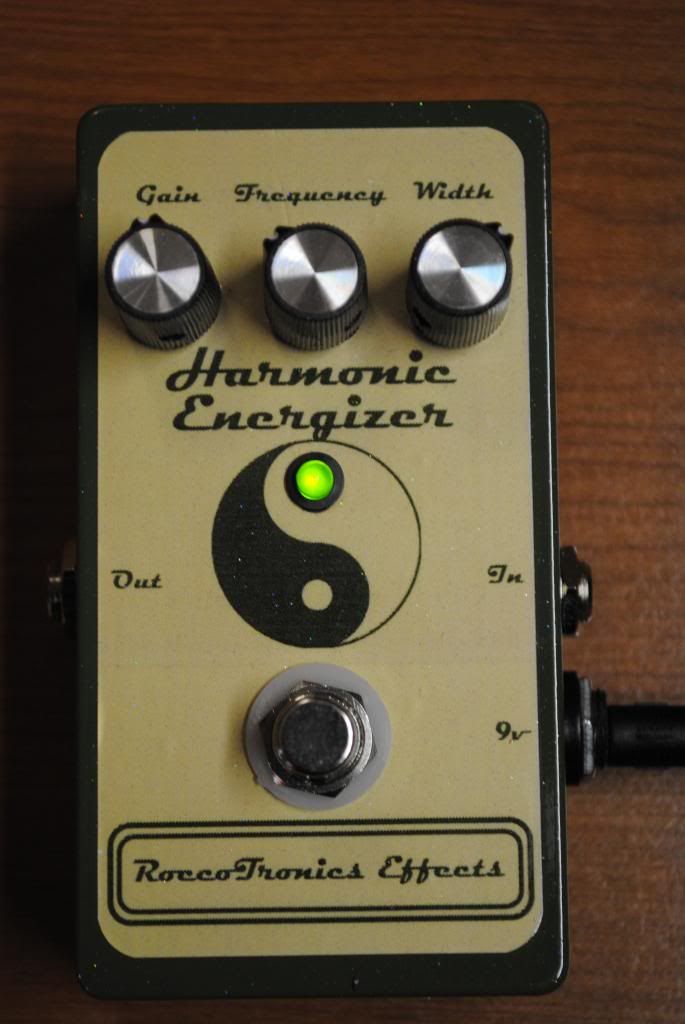
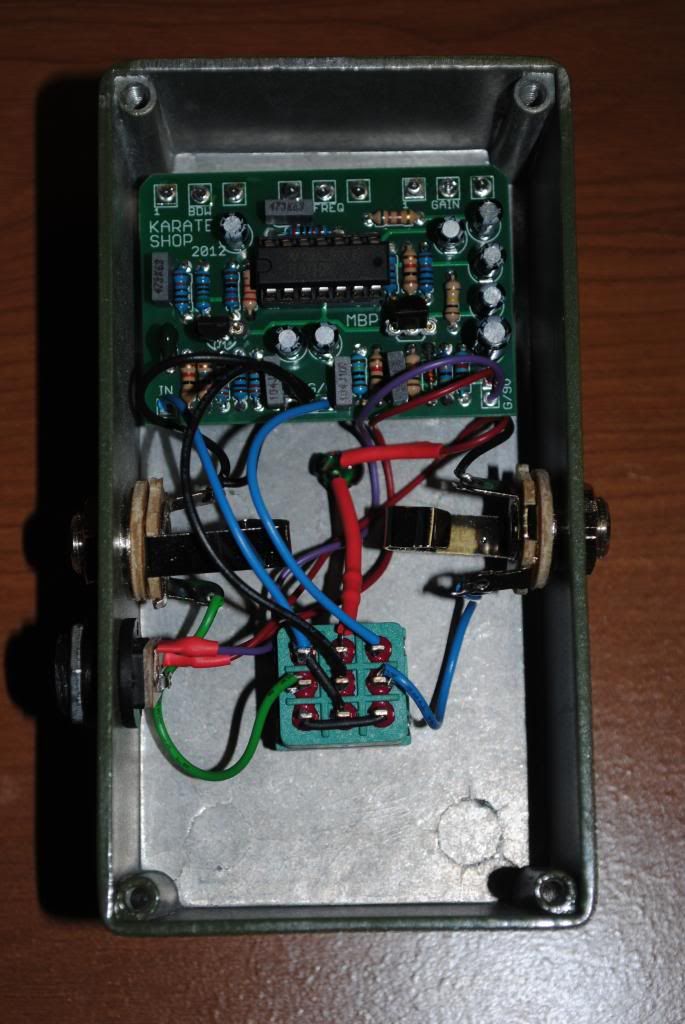
And a Honey Dripper / Colosound Dipthonizer
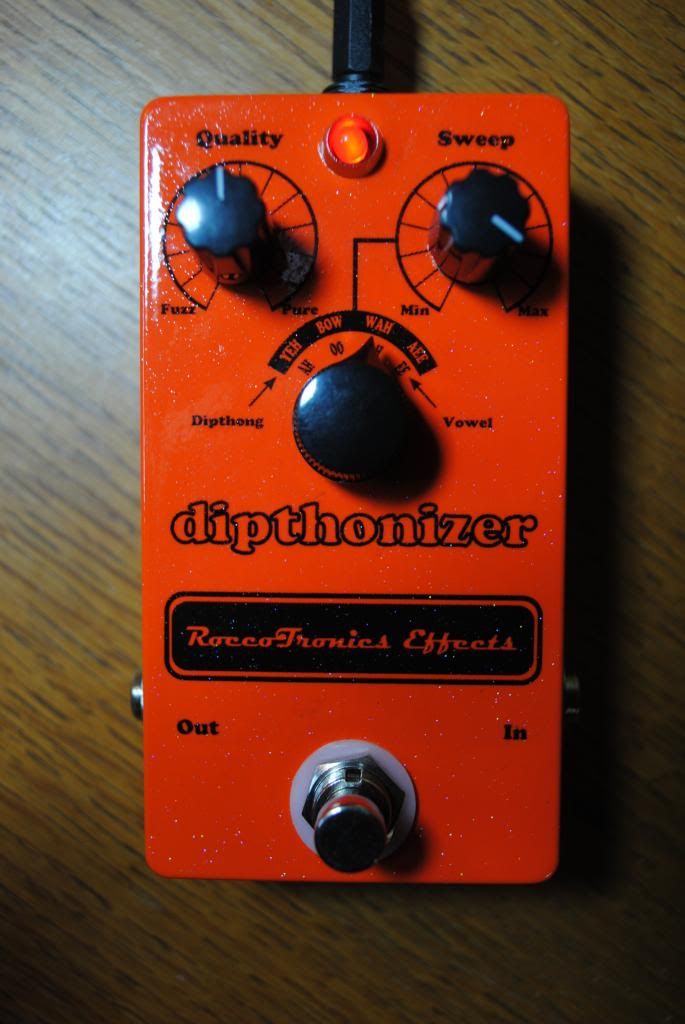
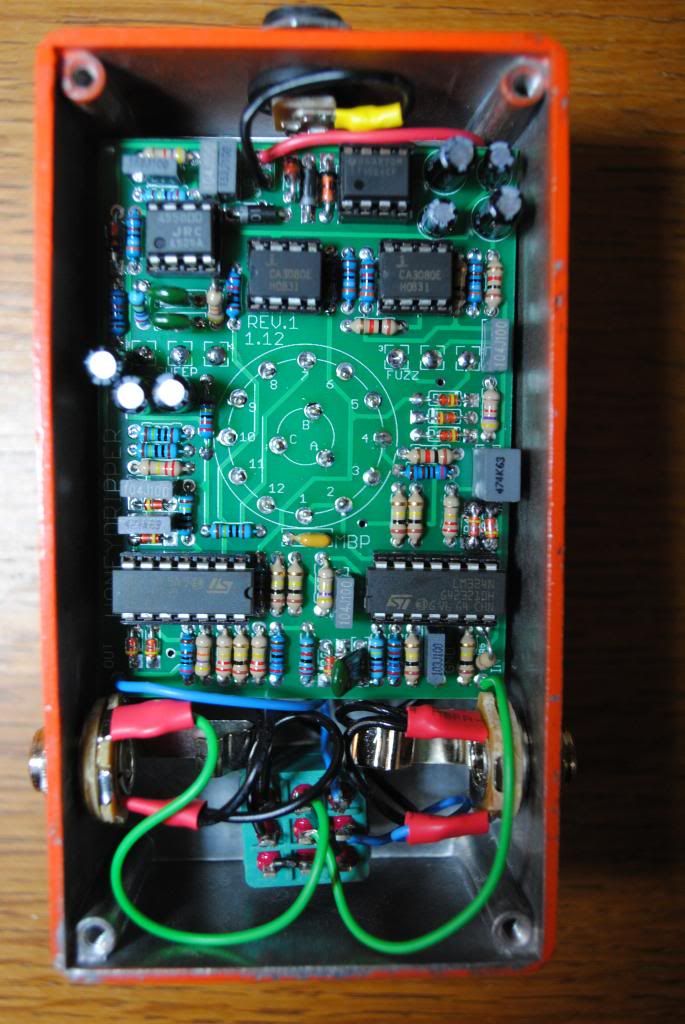
I initially had some noise problems with the Karate Shop, but thanks to support from the forum that is resolved and it sounds great. The Honey Dripper worked perfect first try, and it is an amazing effect!
And a Honey Dripper / Colosound Dipthonizer
I initially had some noise problems with the Karate Shop, but thanks to support from the forum that is resolved and it sounds great. The Honey Dripper worked perfect first try, and it is an amazing effect!
#1091
Tech Help - Projects Page / Re: Minor problem with Karate Shop
April 26, 2013, 10:49:59 AM
There is no hiss at pin 5, only pin 7. The spare ground pad on the board is connected to the input jack (in addition to connecting the +/- from the power supply jack to the 9v/G pads on the board). So the circuit is grounded to the enclosure.
#1092
Tech Help - Projects Page / Re: Minor problem with Karate Shop
April 17, 2013, 01:49:58 PM
I will go back in with my audio probe & check pin 5 again.
I used board mounted pots, so swapping it out is going to require some surgery.
I have built a couple dozen pedals, but I don't really understand all I should about electronics. Can you help me understand what could be wrong with the pot? It performs its function - increases / decreases gain as it rotates. I understand how a dirty pot could introduce scratching as it is turned. But what could fail or be defective in a pot that would introduce a hiss that varies in pitch with the setting of the frequency pot?
Thanks
I used board mounted pots, so swapping it out is going to require some surgery.
I have built a couple dozen pedals, but I don't really understand all I should about electronics. Can you help me understand what could be wrong with the pot? It performs its function - increases / decreases gain as it rotates. I understand how a dirty pot could introduce scratching as it is turned. But what could fail or be defective in a pot that would introduce a hiss that varies in pitch with the setting of the frequency pot?
Thanks
#1093
Tech Help - Projects Page / Re: Minor problem with Karate Shop
April 16, 2013, 04:11:56 PM
It took a while for me to get a chance to do this, but it made a difference.
The hiss is still there, but with a 470p cap I can turn the gain up to ~ 2 o'clock before it becomes a real problem. I could leave it like this and be happy, but I wonder:
- How high can/should I go?
- What are the trade-offs?
Thanks.
The hiss is still there, but with a 470p cap I can turn the gain up to ~ 2 o'clock before it becomes a real problem. I could leave it like this and be happy, but I wonder:
- How high can/should I go?
- What are the trade-offs?
Thanks.
#1094
Tech Help - Projects Page / Re: Minor problem with Karate Shop
April 08, 2013, 12:53:57 PM
I will try option 1 and report back. Thanks!
#1095
Tech Help - Projects Page / Re: Minor problem with Karate Shop
April 07, 2013, 03:06:28 PM
I did some testing with my audio probe. The hiss is introduced at pin 7 of the TL074; none of the other pins have it. I swapped the chip, no difference.
With a fair amount of experimenting I figured out that the pedal is useable if I keep the gain at ~ 10 o'clock or lower (10 o'clock is ~ unity gain). There is still hiss at all frequencies, but at this gain setting it is barely noticeable and it actually sounds pretty good.
However, I would really love to conquer the hiss, so if anyone has any suggestions please let me know.
Thanks!
With a fair amount of experimenting I figured out that the pedal is useable if I keep the gain at ~ 10 o'clock or lower (10 o'clock is ~ unity gain). There is still hiss at all frequencies, but at this gain setting it is barely noticeable and it actually sounds pretty good.
However, I would really love to conquer the hiss, so if anyone has any suggestions please let me know.
Thanks!